AI Video Translation
Understands video content and converts it to your target language.
Let every video speak your language.
UTranDub is a desktop app. Import a video, and it translates, dubs, and subtitles it with AI — no sign-up required, ready to use out of the box, all processed locally.
No GPU required 4-core CPU · 8GB RAM · Local processing
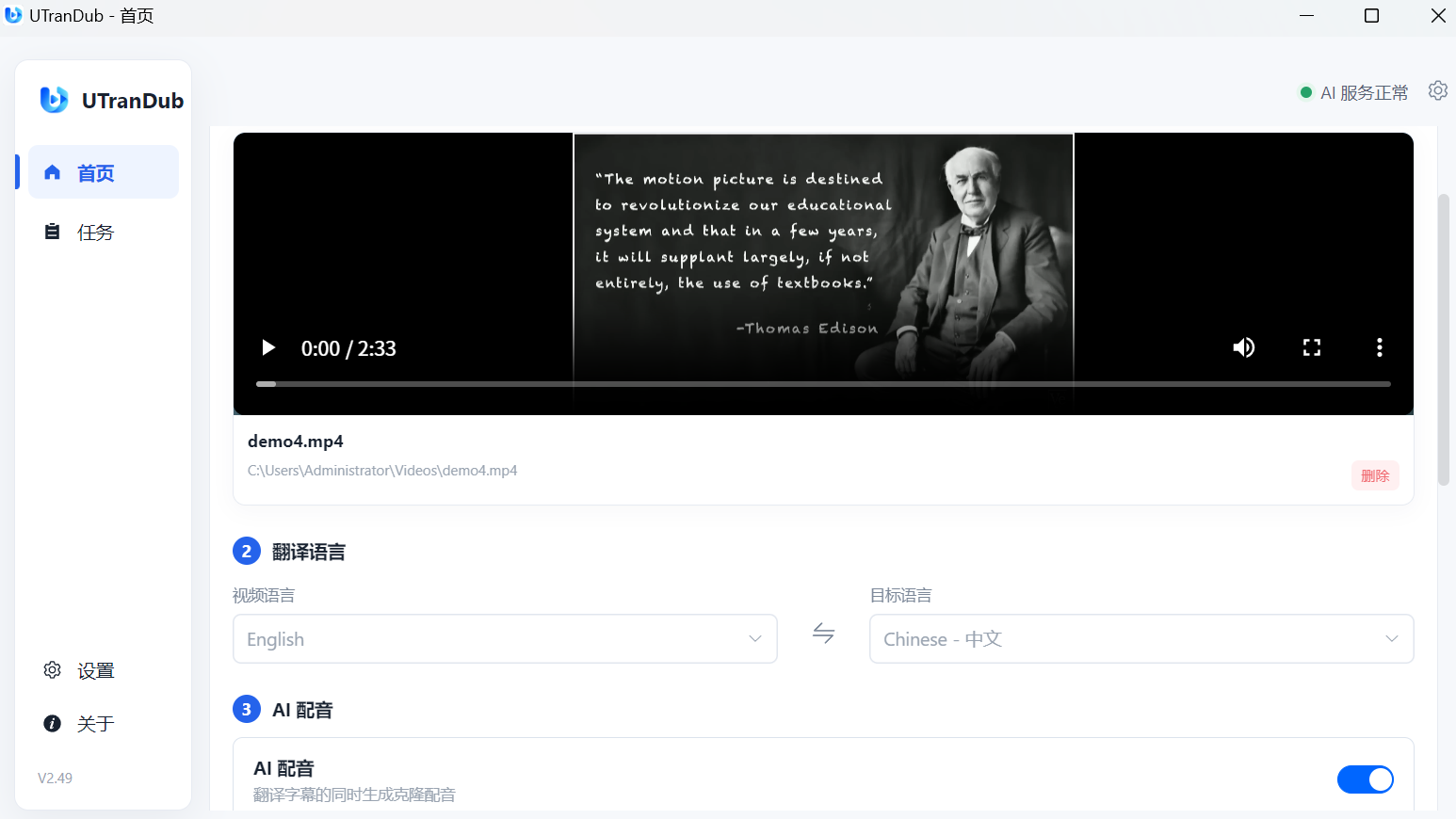
Compare the original video with the AI translated & dubbed result.
Translate, subtitle, and dub — all in one desktop app.
Understands video content and converts it to your target language.
Generates natural speech from the translated content.
Generates and syncs subtitles automatically.
Everything runs on your device. Privacy first.
From import to export in four easy steps.
One product, two official ways to get it.
Purchase on our website and activate with a UTranDub website license.
Install and purchase UTranDub through the Microsoft Store.
The website version and the Microsoft Store version are separate purchasing and licensing channels. Pricing, purchasing, and activation may differ — refer to the corresponding channel page for details.
Desktop · Local processing · Simple to use